Online Ordering Guide
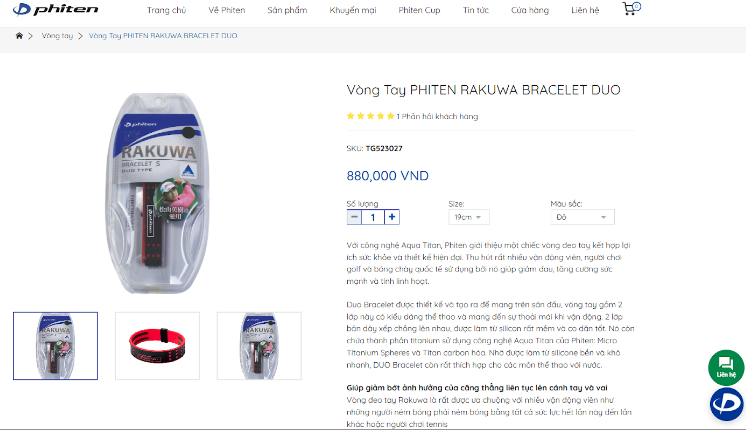
Step 2. Click the [Buy Now] button below on the same product page after selecting your preferred color and size
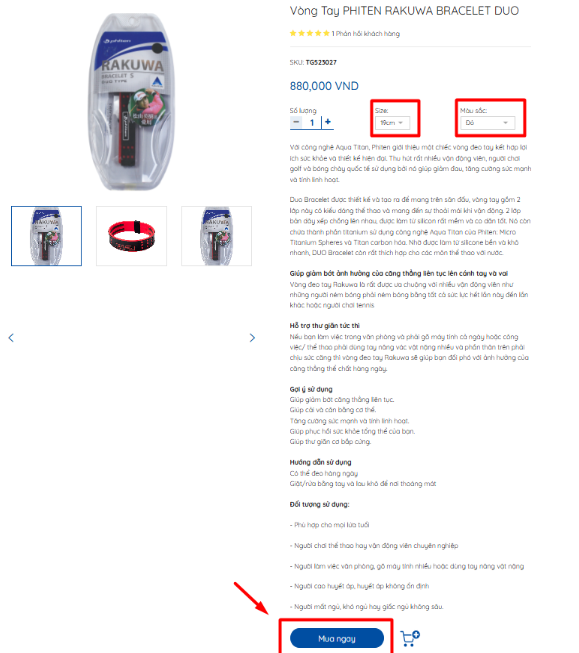
Step 3: Customers can review the order summary and apply a [DISCOUNT VOUCHER] f they have a voucher in their account. Continue to [CHECKOUT] to confirm the order
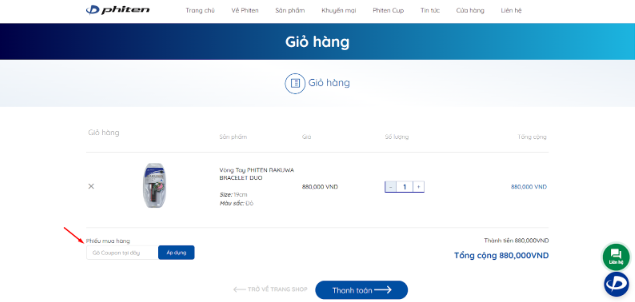
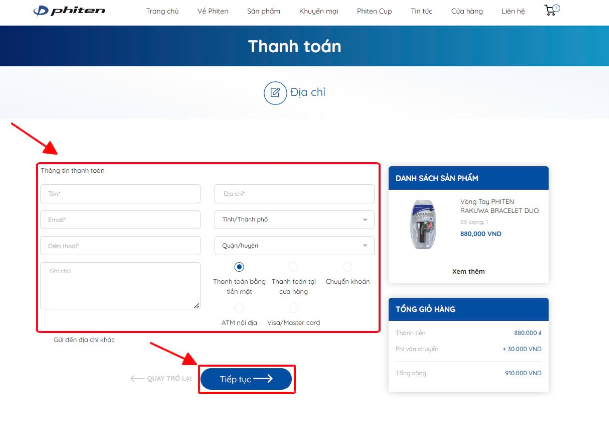
Step 4: Customers enter their [SHIPPING INFORMATION] and select a [PAYMENT METHOD]. Then click continue to confirm the order
|
Payment Policy |
||
|
Purchase Method |
Payment Method |
Note |
|
In-store |
Bank Transfer |
Payment at the cashier counter of Nowzone / Takashimaya Shopping Mall |
|
Cash |
Payment at the cashier counter of Nowzone / Takashimaya Shopping Mall |
|
|
International/Domestic Card |
Payment at the cashier counter of Nowzone / Takashimaya Shopping Mall |
|
|
Online |
Bank Transfer |
Bank: VietinBank Account No.: 113639606789 Account Holder: Japan Health Beauty Co., Ltd. Branch: Ho Chi Minh City 11 |
|
COD |
Direct payment to the delivery service |
|
|
International/Domestic Card |
Direct payment by card |
|
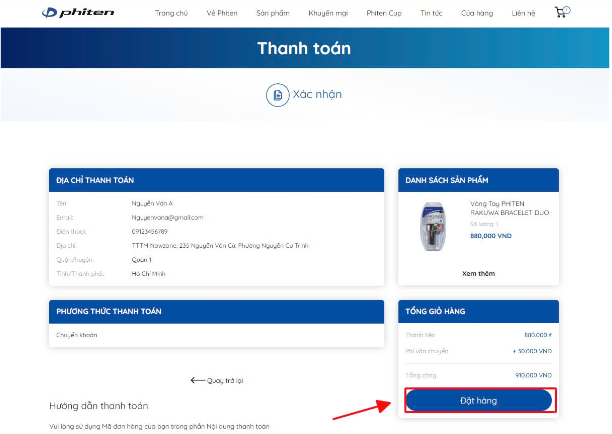
Step 5: Customers review their [SHIPPING INFORMATION] and select a [PAYMENT METHOD]. Then click Place Order.
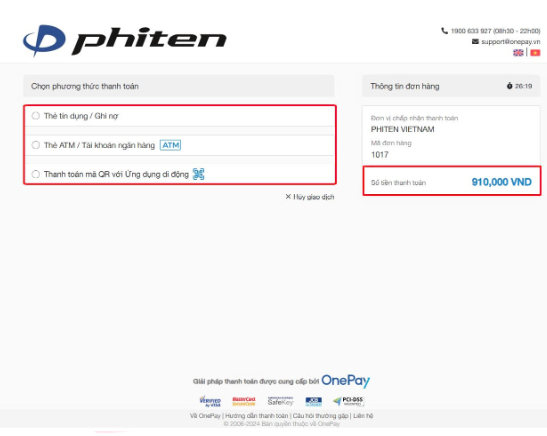
For payments made by bank transfer, select the [PAYMENT METHOD] and check the total amount
After the order has been successfully placed, our staff will contact you to confirm the order and arrange delivery
VAT Invoice Issuance Guide for In-Store and Online Orders
- In-store orders
After completing payment at the store, please inform the sales staff and provide all required information (Company Name, Tax Identification Number, and Email Address for receiving the invoice) if you need a VAT invoice for your purchase receipt. VAT invoices can only be issued on the same day
- Online orders
Please leave a note requesting a VAT invoice when placing your order on the website
Please inform our staff when they contact you to confirm the order

Tax ID: 4201615064, issued: 24/09/2014, Department of Planning and Investment of Ho Chi Minh City

Copyright © Japan Health Beauty Co., Ltd 2026. All rights reserved.